
MIDI devices stores your MIDI gear, bank aliases and named presets. Use them for your own MIDI changes on band songs and for patch switching in setlist live mode.
Open MIDI devices
- Open Settings.
- Under Hardware, select MIDI devices.
Every member can manage their own devices in a band or artist workspace, regardless of role or subscription. Devices, aliases, presets and the MIDI switch belong to your account and are available across your workspaces. Per-song MIDI changes are configured in a band.
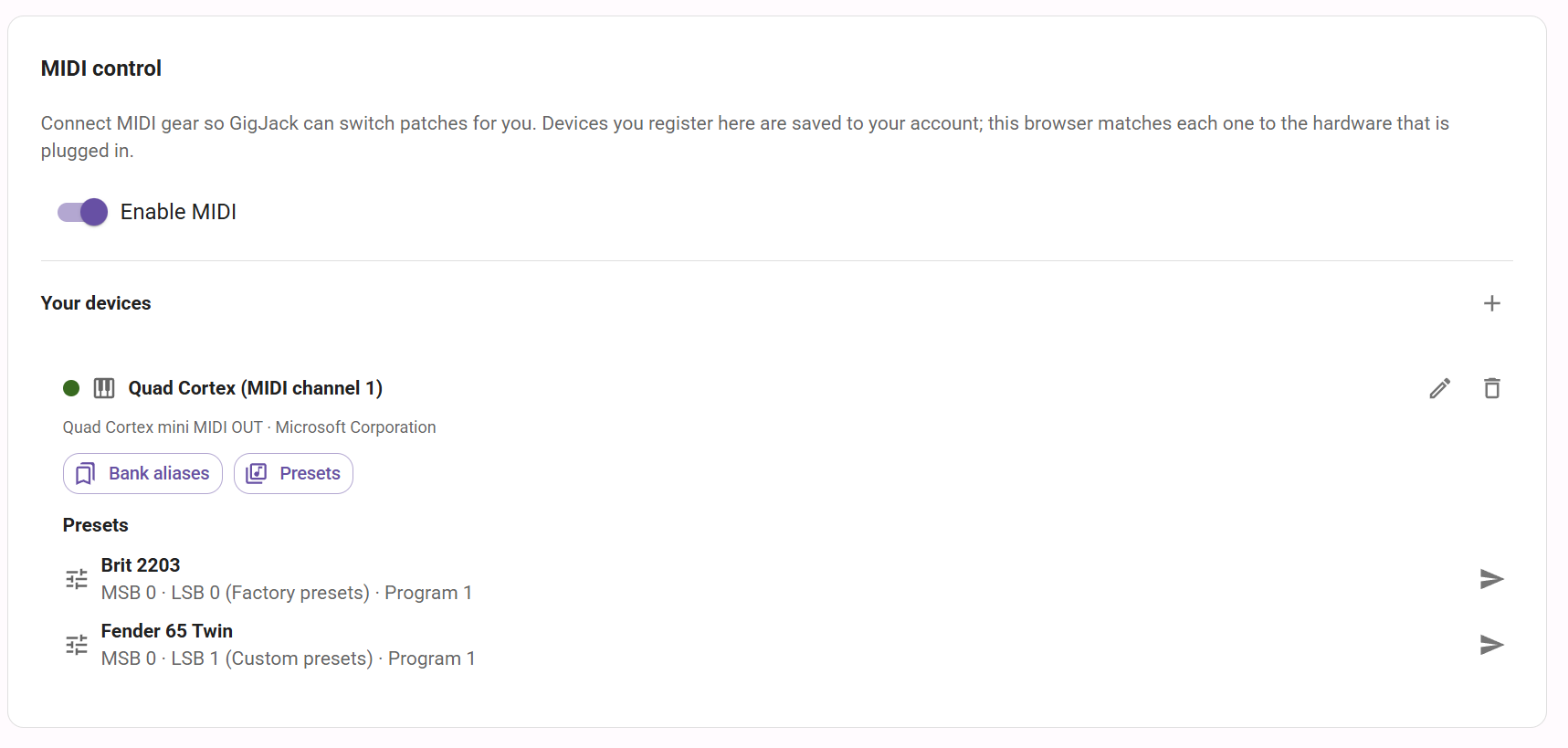
MIDI control
| Setting or action | What it does | Default |
|---|---|---|
| Enable MIDI | Enables your MIDI controls. Turning it off leaves your saved devices and song steps in place. | Off |
| Connect MIDI | Requests access to the MIDI hardware connected to this browser. | Connect when you want to use hardware. |
Use a browser that supports Web MIDI and open GigJack over HTTPS. Browser permission and a connected MIDI output are required to send a patch. The account stores the device registration; each browser matches it to connected hardware by output name and manufacturer.
Your devices
- Connect the hardware, turn on Enable MIDI and select Connect MIDI. Allow the browser's MIDI request.
- Select Add MIDI device beside Your devices.
- Enter a Device name, choose the hardware Output and set its Channel from 1 to 16. The initial channel is 1.
- Select Add device.
You can register up to 16 devices. Each row shows its name, channel, output and connection status. The edit control changes the name and channel; the delete control removes the registration. Removing a device also removes its bank aliases, presets and song steps that use it.
Bank aliases
Select Bank aliases on a device to name its bank addresses. Enter a Bank alias and MSB (optional), LSB (optional), or both, then select Add alias. Bank values run from 0 to 127; at least one value is required. You can rename or delete an alias in the list. Each device can have up to 32 aliases, with distinct names and address combinations.
For example, an alias named Factory presets with LSB 0 labels that bank value when you enter a patch. An alias describes the bank address; it does not select a program by itself. A combined MSB/LSB alias appears when both values match.
Presets
Select Presets on a device to create, edit, delete and test named patches. A preset combines a Preset name, Program and optional Bank MSB and Bank LSB. Each device can have up to 128 presets with distinct names.
| Field or action | How to use it |
|---|---|
| Program | Enter 1 to 128. GigJack displays programs starting at 1 and sends the corresponding MIDI program starting at 0. If your device numbers programs 0–127, enter one more than its displayed number. |
| Bank MSB / Bank LSB | Optionally enter 0 to 127. Leave a field blank to omit that bank-select message. Entering 0 sends bank value 0. |
| Send test patch | Sends the form's patch to the connected device on its saved channel, without saving a preset. |
| Add preset / Save preset | Saves a new preset or changes the preset selected for editing. |
| Send control beside a saved preset | Sends that preset to the connected device. |
A patch sends the specified bank-select values before its program change. Song steps that use a named preset follow changes to that preset the next time the performance is loaded. Deleting a preset also removes song steps that use it. Downloaded setlists retain their saved values until refreshed while online.
Next, open a band song and configure MIDI changes. See Setlist live mode for automatic sending and Offline setlists for downloaded copies.